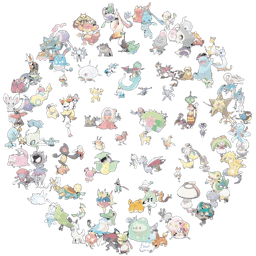
What Is the Pokémon Spin the Wheel?
A pokemon spin the wheel is a free randomizer that picks one Pokémon at random from a pool of 1025, so a single click settles your starter, your next encounter or a draft pick. It can replace dice, slips of paper, or a last-minute group vote when a challenge run needs a rule everyone can follow. Use a spin to assign a starter, choose an encounter, or settle which Pokémon gets a special role. Because the wheel makes the selection in front of the group, the result feels like part of the game instead of a decision made by the host. Set the filters first, then let the draw add a little uncertainty to a Nuzlocke, draft, or stream without taking control away from the player.
How to Use the Pokémon Wheel (3 Steps)
- Choose the pool with Generations, Regions, and Types. Leave a filter broad when you want more variety, or combine filters for a focused challenge. If you run a pokemon spin the wheel with a single generation selected, the pool shrinks to that generation only — which is exactly what a gen-locked Nuzlocke run needs.
- Press Spin to draw from the Pokémon that match your settings. The wheel animates the selection so a group or stream audience can follow the same result.
- Read the Pokémon shown as the result, apply your own challenge rule, and press Spin again for another draw. Choose Reset when you want to clear the filters and return to the full pool; use Advanced filters when the standard pool needs more limits.
Using the Wheel for Challenge Runs and Streams
For a Nuzlocke, decide in advance what the wheel controls: the starter, the first eligible encounter in each area, or a team slot after a loss. A written rule keeps the challenge consistent across routes. In a draft with friends, each player can spin against the same eligible pool to select a pick, then remove that result before the next player draws if the group wants a no-duplicates format. You can also use the wheel for themed restrictions, such as one type or one generation.
On Twitch or YouTube, show the filters and spin live when chat chooses the next team member or challenge condition. Viewers see the pool and the result together, which makes the moment easy to understand and discuss. A manual pick can look biased even when it is not; a shared random draw gives each candidate the same chance and makes the rule repeatable. The host still chooses the pool and challenge rules, while the wheel handles the final selection transparently.
Filter the Wheel by Generation, Region and Type
Generations narrows the candidate list to Pokémon introduced in one game era, or keeps every era available. Regions groups species by where they were introduced, which is useful for a region-locked playthrough. Types lets you focus on one or more elemental types for a monotype run, a type-locke, or a themed stream. These filters can be combined, so a pool can be limited to a particular generation and type at the same time.
The current wheel pool displays 1025 Pokémon across all generations. Each selection is drawn from the candidates that remain after your filters are applied, rather than from species that do not fit the rules you chose. If a combination leaves too few candidates, broaden one setting or use Reset to start over. Advanced filters provide additional ways to shape a challenge when generation, region, and type alone are not specific enough.
Pair the Wheel with Other PokeSuite Tools
When one wheel result is not enough, use the random Pokémon team generator to draw six teammates at once. To pair a Pokémon with cards for a themed collection, try the TCG pack opening simulator. During a stream break, the Who's That Pokémon guesser game gives viewers a quick guessing round. If you only need a starter, the random starter Pokémon generator makes that choice without a full wheel spin. The remaining generators are collected in the Pokémon toolbox.
Mobile, Fairness and No Login
The pokemon spin the wheel runs in your browser on desktop and mobile, needs no account, and gives every Pokémon in the filtered pool the same chance on every spin. Changing the filters changes the pool, not the odds between candidates that remain. A useful challenge rule should be simple enough to remember and clear enough that another player could apply it the same way. Before you spin, decide whether the wheel selects a starter, a possible encounter, a team slot, or a restriction for the next battle. Decide what happens when the drawn species is unavailable in your game, already belongs to another draft participant, or cannot be used under a run's other rules. Agreeing on a reroll policy before a result appears prevents the group from changing the standard to favor a particular outcome. You can separate pool selection from the draw: let a group vote on a region and type, then spin within that shared pool. In a solo run, keep the same settings throughout a session and reset when the next chapter begins. That makes each result easier to explain to players and stream viewers.
Pokémon Wheel FAQ
How many Pokémon are in the wheel?
The wheel can draw from a pool of 1025 Pokémon, covering every generation from Kanto to Paldea. You can narrow that pool with the generation, region and type filters before you spin.
Can I filter the Pokémon wheel by generation?
Yes. Use the Generations filter to limit the wheel to a single generation, such as Generation 1 only, or keep it on "All generations" to include every Pokémon.
Can I filter by region or by type?
Both filters are available. The Regions filter limits the pool to Pokémon introduced in a specific region, and the Types filter restricts it to one or more types — handy for monotype runs and type-locke challenges.
Is the Pokémon spin wheel free?
Yes, it is completely free and needs no account. Open the page, pick your filters and press Spin.
Can I use the wheel for a Nuzlocke or challenge run?
That is the most common use. Spin to decide which Pokémon you add to your team, what your starter is, or which encounter you have to catch next. Combine it with the team generator if you want a full six-Pokémon squad drawn at once.
Can I use the wheel on a Twitch or YouTube stream?
Yes — share your screen and spin live so viewers see the result. Each Pokémon in the filtered pool has the same chance, so nobody can claim the draw was rigged.
Can I redo a spin?
Yes. Press Spin again for a new Pokémon, or use Reset to clear the filters and start over from the full 1025-Pokémon pool.
Is PokeSuite affiliated with Nintendo or The Pokémon Company?
No. PokeSuite is an unofficial fan-made project. Pokémon and all related names are trademarks of Nintendo, Game Freak and The Pokémon Company.
The wheel is designed for mobile browsers, costs nothing, and needs no account. Random selection gives every eligible candidate an equal chance on each spin. The answers above cover pool size, filters, free access, challenge runs, streaming, rerolls, and project affiliation. Agree on eligibility and rerolls before a shared draw; the wheel cannot check game availability or enforce house rules. For solo play, record your settings and reuse them between sessions. Stream hosts can show the filter choices before spinning so viewers see the eligible pool. If a result cannot be used, follow the reroll rule agreed on in advance. A broad pool offers variety, while narrower settings define a theme. Reset starts a fresh round from the full pool, and filters can be applied again for the next draw. These simple agreements help groups use one consistent process for drafts, Nuzlockes, casual playthroughs, and live streams.